Language Learning | Jumpspeak
Jumpspeak.comEducation
4.11.20K Reviews
- Version
- 5.4.2
- Installs
- 500.00K
- Age Rating
- Everyone
Screenshots
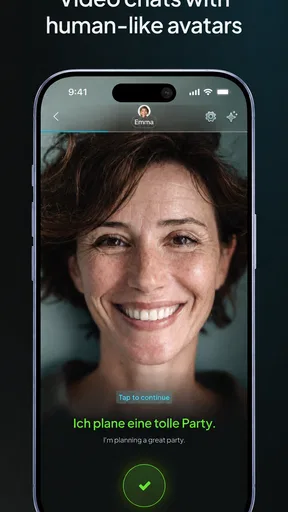
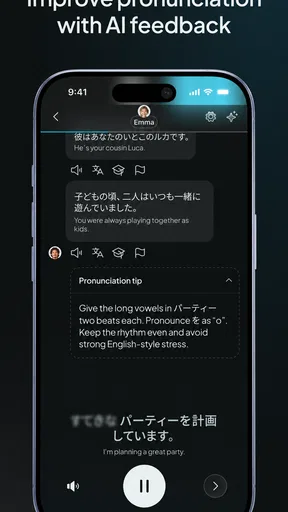
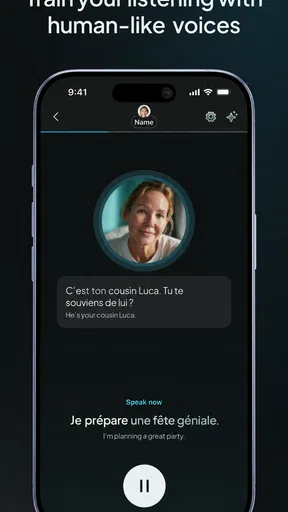
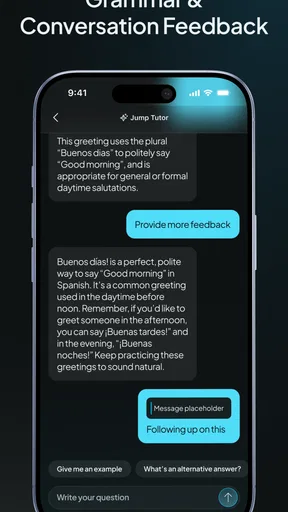
Our Review of Language Learning | Jumpspeak
 Analysis by Appyee
When I choose a language-learning app, I first ask what I want to be able to do with the language. If the goal is to get through a real conversation, not just recognize a word on a screen, speaking practice matters. That is the angle that makes Jumpspeak worth considering: it is an education app from Jumpspeak.com built around getting learners to talk, while still making room for vocabulary review.
I would also think about how I actually study. A short session between errands calls for a different tool than a structured course at a desk. Jumpspeak is free to install, rated for Everyone, and has an average rating of 4.2 from around 6,500 ratings, with over 100,000 installs. Those figures suggest a well-used option, but they don’t answer the personal question: will its conversation-first approach keep you practicing? That depends on whether you enjoy responding aloud and learning through scenarios.
Who gets the most from conversation practice
I can see this working especially well for someone who knows a little of a language but freezes when it is time to speak. Simulated conversations offer a low-pressure place to try forming answers before using them with another person. They can also help a traveler rehearse practical exchanges, or give a busy learner a way to keep speaking practice in a daily routine without arranging a class or language exchange.
For a beginner, the useful mindset is to treat early attempts as practice rather than a test. Say the answer, notice the feedback, and try again when a phrase feels awkward. The point is not to sound fluent immediately; it is to get comfortable retrieving words under a little conversational pressure. That can complement a class or textbook, especially if those resources leave you understanding more than you can say.
What a realistic study routine can look like
Imagine you have a few minutes before leaving for work. You can use a short practice window to answer a conversation prompt, then revisit vocabulary you have already encountered rather than opening several unrelated exercises. Later, a reminder can bring you back for another session. I would keep the goal modest: one focused practice habit is easier to maintain than promising yourself a long lesson every day and skipping it when life gets busy.
A useful, less obvious approach is to keep a small note of phrases that you hesitated over, then deliberately try to use one in a later conversation simulation. That turns feedback into a personal practice target instead of something you read and forget. Spaced repetition can help with remembering vocabulary, but it works best when you also make an effort to retrieve words yourself. Recognition is not the same as being ready to say a phrase aloud.
Where it sits beside other learning methods
Compared with the familiar drill-heavy language apps, Jumpspeak’s strongest appeal is the chance to practice producing speech rather than only tapping choices or reviewing isolated terms. That distinction is useful if speaking is the skill you avoid. Traditional lessons, grammar references, and textbooks can still be better when you want a clear explanation of sentence structure or a carefully sequenced course. A human tutor or language partner is a better fit when you need a real person to react naturally, ask follow-up questions, or discuss topics beyond a prepared scenario.
I would not treat any conversation simulation as a complete substitute for listening to varied speakers or communicating with people. App feedback can make practice less intimidating, but learners should still expect to encounter accents, interruptions, and unfamiliar wording outside the app. The practical trade-off is straightforward: use Jumpspeak to build a speaking habit and confidence, then bring that practice into real conversations when you can.
Before you commit to a routine
The app supports Spanish, French, German, and more than twenty languages, so it may suit learners whose target is among its options. It was released on December 17, 2020, and the current version is 5.2.24, with Android 7.0 as the minimum operating-system requirement. I would check that your target language is available and that your device can run it before building a study plan around the app.
Although the app is free to install, it offers in-app purchases ranging from $12.99 to $499.99 per item. That wide span makes it sensible to inspect the purchase details carefully before paying and decide what you want from a language tool first. If you only need occasional vocabulary practice, a free resource you already use may be enough; if speaking is your main weakness, paying for a guided tool may feel more worthwhile. I would avoid buying anything simply because a reminder or progress prompt makes me feel behind.
Switching from another app is not difficult in principle, but switching methods can take adjustment. A learner used to ticking off short vocabulary drills may initially find open-ended speaking more demanding. I would give the conversation format a fair trial while keeping a familiar reference book or class for grammar questions. If you already have a strong speaking routine with a tutor, the app may add less value than it does for someone who rarely gets a chance to speak.
My decision rule is simple: choose Jumpspeak when you want approachable, repeatable speaking practice and can make a small daily habit out of it. Choose a more structured course when you need systematic grammar teaching, or a real instructor when personal correction and spontaneous discussion are essential. The best setup may be a combination rather than a single app, with Jumpspeak filling the gap between studying language and actually trying to use it.
First Impressions
First off, downloading Jumpspeak was a breeze. It’s available on both Android and iOS, so no worries about compatibility here. The app has a sleek design, which immediately caught my attention. It’s not cluttered, and everything seems to be where it should be. I’m all for aesthetics, and this one checks that box.
Getting Started
After a quick sign-up, I was greeted with a personalized learning plan. The app asked about my goals, which I found quite refreshing. Whether you’re learning for travel, business, or just for fun, Jumpspeak tailors its approach accordingly. It’s like having a mini tutor in your pocket.
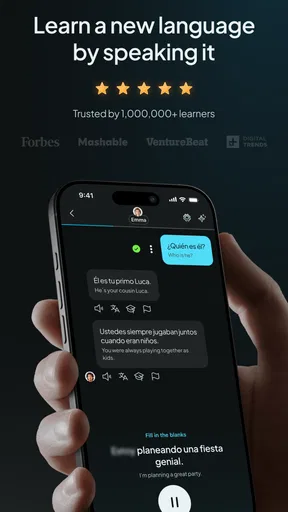
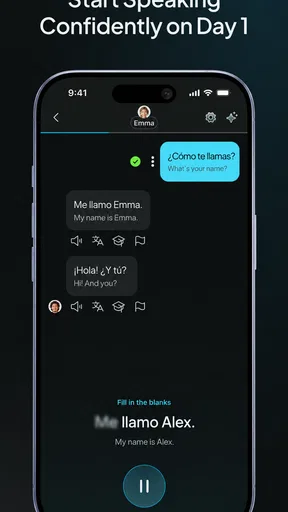
One thing that stood out is the app’s focus on speaking practice. The idea is to get you talking from day one, which is brilliant. We all know how nerve-wracking speaking a new language can be, and Jumpspeak seems to tackle that head-on.
Features That Wow
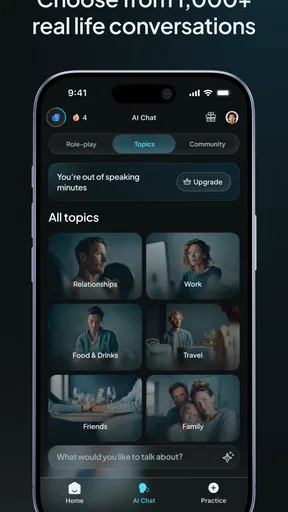
Now, let’s dive into the features. The app boasts a variety of conversation simulations. Imagine having a chat with a virtual native speaker. It’s super interactive, and honestly, it felt less intimidating than real-life conversations. You get instant feedback, which is crucial for improving pronunciation and grammar.
I also loved the spaced repetition technique they use for vocabulary building. It’s designed to help you retain words by revisiting them at optimal intervals. It’s like that helpful friend who reminds you of things just when you’re about to forget them.
User Experience
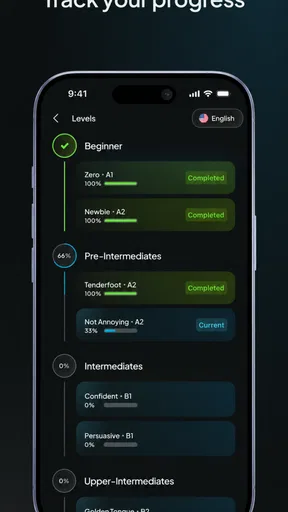
Navigation through the app is smooth. There’s a certain logic in the layout that makes it intuitive. All the lessons are categorized neatly, and you can easily track your progress. I appreciated the motivational nudges it gives when you’re slacking off – a gentle reminder to keep going.
Another cool feature is the ability to set daily reminders. It’s a simple yet effective way to build a habit. With life being so busy, a little nudge to practice goes a long way.
Room for Improvement
While I’m singing praises, there’s always room for improvement. The app could benefit from more language options. Currently, it focuses on a select few, but I’m hopeful they’ll expand in the future.
Also, while the speaking exercises are fantastic, I think adding more video content or live sessions could elevate the learning experience even further. But hey, no app is perfect, right?
Final Thoughts
All in all, Jumpspeak is a solid choice for anyone serious about learning a new language. It’s user-friendly, interactive, and genuinely makes speaking practice enjoyable. If you’re tired of apps that only focus on vocabulary and grammar drills, give this one a shot.
Whether you’re a beginner or looking to polish your skills, it’s worth checking out. You might just find it’s the language buddy you’ve been searching for. And remember, practice makes perfect, so keep at it!
If you’re curious and want to give it a try, you can easily find it on your app store of choice. Happy learning!
Verdict
Strengths of Language Learning | Jumpspeak
- Interactive real-world conversations.
- Gamified lessons enhance engagement.
- Offline mode available for flexibility.
- Speech recognition improves pronunciation.
- User-friendly interface for easy navigation.
Limitations of Language Learning | Jumpspeak
- Limited language options available.
- Requires in-app purchases for full access.
- Occasional app performance issues.
- Speech recognition can be inconsistent.
- No support for advanced language learners.
Similar Picks in This Category
View All
Duolingo: Language Lessons
Duolingo4.7

Google Classroom
Google LLC2.8

Unacademy: Learn & Crack Exams
Unacademy3.2

Bible App for Kids
Life.Church4.4

Cake - Learn English & Korean
Cake Corp.4.7

Brainly: AI Homework Helper
Brainly4.5
Frequently Asked Questions
What is Jumpspeak and how does it help with language learning?
Jumpspeak is an interactive language learning app designed to help users improve their speaking skills. It uses real-life conversations and AI-driven feedback to enhance language fluency. By focusing on speaking practice, Jumpspeak aims to build confidence and make learning more practical for real-world situations.
Which languages can I learn with Jumpspeak?
Jumpspeak offers a variety of languages, including popular ones like Spanish, French, German, and Mandarin. The app continually updates its offerings, so it’s best to check the latest version for the complete list of languages available. This ensures users have access to diverse language options tailored to their interests.
Does Jumpspeak require an internet connection to function?
Yes, Jumpspeak requires an internet connection for optimal performance, especially for interactive features and real-time feedback. This connectivity ensures that users receive the most accurate corrections and suggestions during their practice sessions, making the learning experience seamless and efficient.
Is Jumpspeak suitable for beginners, or is it better for advanced learners?
Jumpspeak is designed to cater to all proficiency levels, from beginners to advanced learners. The app tailors its content to the user’s skill level, providing appropriate challenges and exercises. This adaptability makes it a versatile tool for anyone looking to improve their language skills, regardless of their starting point.
Are there any subscription fees or in-app purchases with Jumpspeak?
Jumpspeak operates on a freemium model, offering basic features for free while advanced content requires a subscription. Details on pricing and available plans can be found within the app. Subscriptions typically provide access to premium features, additional languages, and more in-depth learning materials.
